How to Install Valheim Plus: Difference between revisions
Jump to navigation
Jump to search
| Line 24: | Line 24: | ||
<li>[[File:Val_browse_local_files.png|150px||]]</li> | <li>[[File:Val_browse_local_files.png|150px||]]</li> | ||
</ul> | </ul> | ||
<li>Then open up the zip file you downloaded in the first part of this guide <i>[[How_to_Install_Valheim_Plus_Client_Side# | <li>Then open up the zip file you downloaded in the first part of this guide <i>[[How_to_Install_Valheim_Plus_Client_Side#How to obtain the Valheim Plus Client Files|see above]]</i> extract the contents of the Valheim Client side files into this directory</li> | ||
<ul> | <ul> | ||
<li>[[File:Val_install.png|550px||]]</li> | <li>[[File:Val_install.png|550px||]]</li> | ||
Revision as of 08:34, 23 February 2021
How to obtain the Valheim Plus Client Files
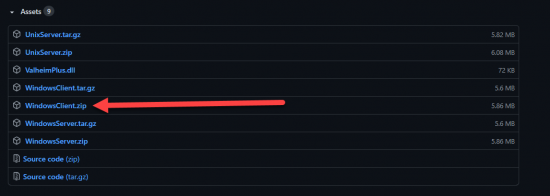
- Then navigate to the latest release of Valheim plus on the github page
- From this page you will want to download the latest zip file for your operating system
- In This example we will be using the latest windows build

How to Install Valheim Plus Client Side
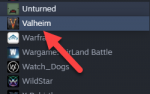
- Open up your Steam Library and select Valheim
- Right Click on Valheim and select Mange
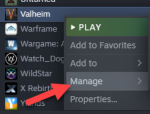
- From within the Manage option select Browse Local Files
- Then open up the zip file you downloaded in the first part of this guide see above extract the contents of the Valheim Client side files into this directory
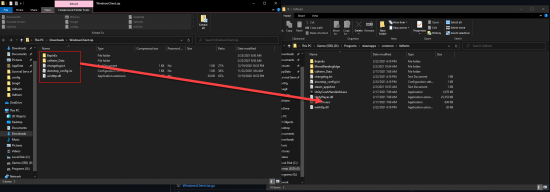
- Congratulations, you have now installed Valheim Plus client side!


