
S&box (Sandbox) Game Server Hosting
Our S&Box server hosting plans come with the features you need
Your game server will come with the following, instantly available features:


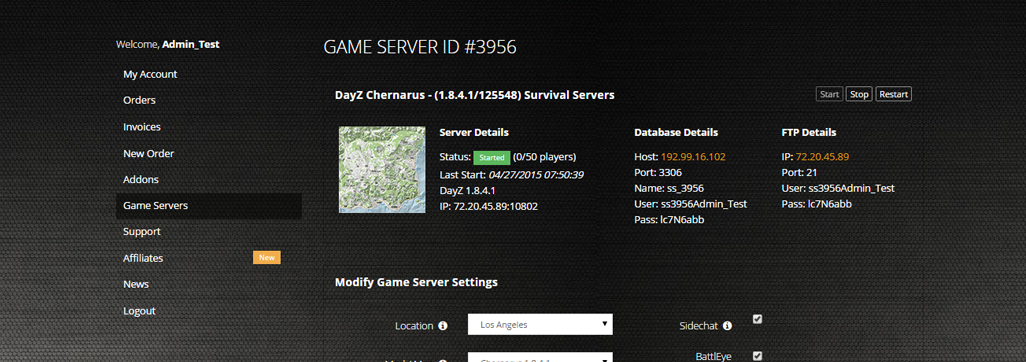
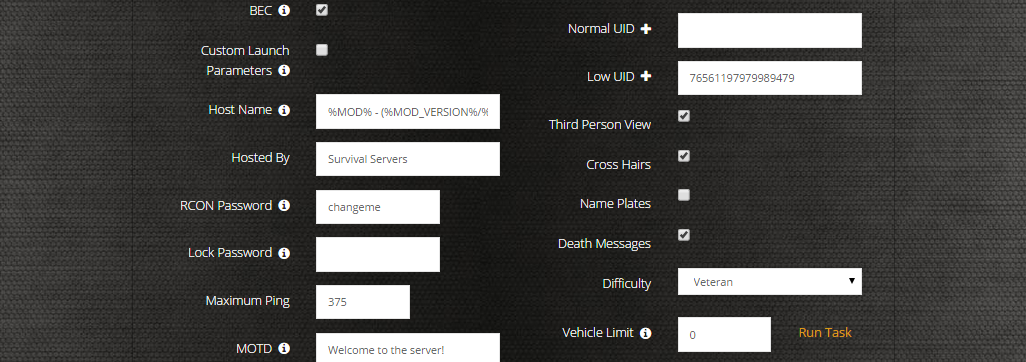
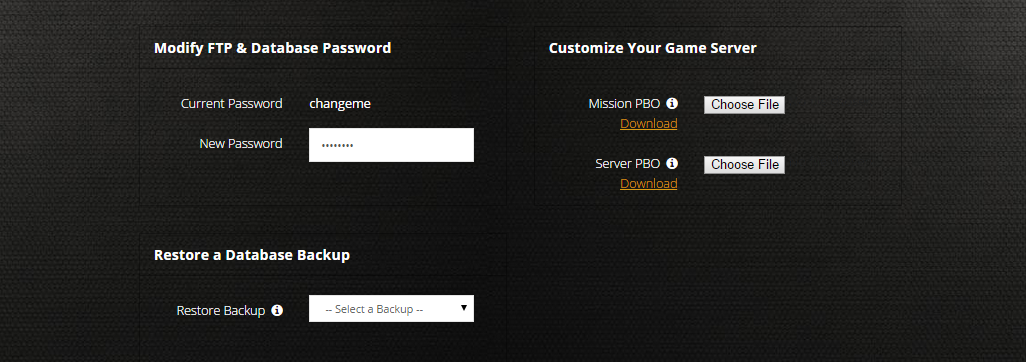
Access to our custom Game Server Management Panel
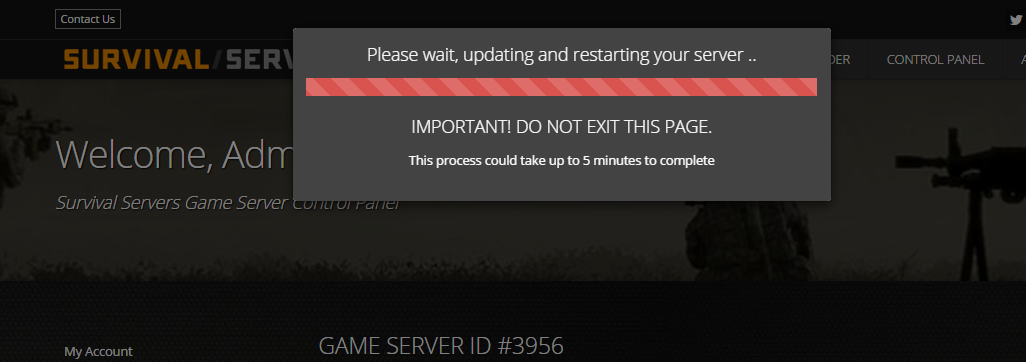
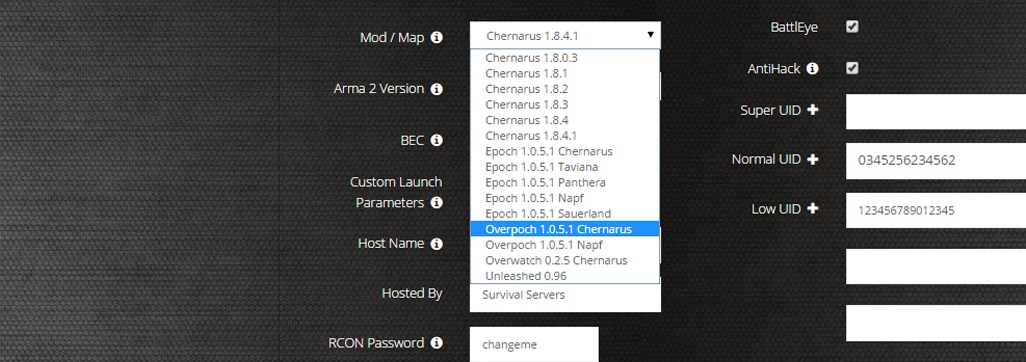
The in-house Survival Servers game control panel allows you to configure and customize your s&box (Sandbox) game server. Install supported mods / maps, switch locations, and change any setting with our easy one click form. Survival Servers is a s&box dedicated game server provider with our custom panel.
Powered by S&box Server Console
An open-source supervisor that adds Source RCON, a live web console, ban & allowlist enforcement, scheduled commands, and crash auto-restart on top of the s&box dedicated server.
S&box Server Console is a third-party, community-built tool and is not affiliated with or endorsed by Facepunch Studios or the s&box developers. Bug reports and questions specific to S&box Server Console should be directed to the project on GitHub; SurvivalServers handles hosting and server infrastructure support only.
-
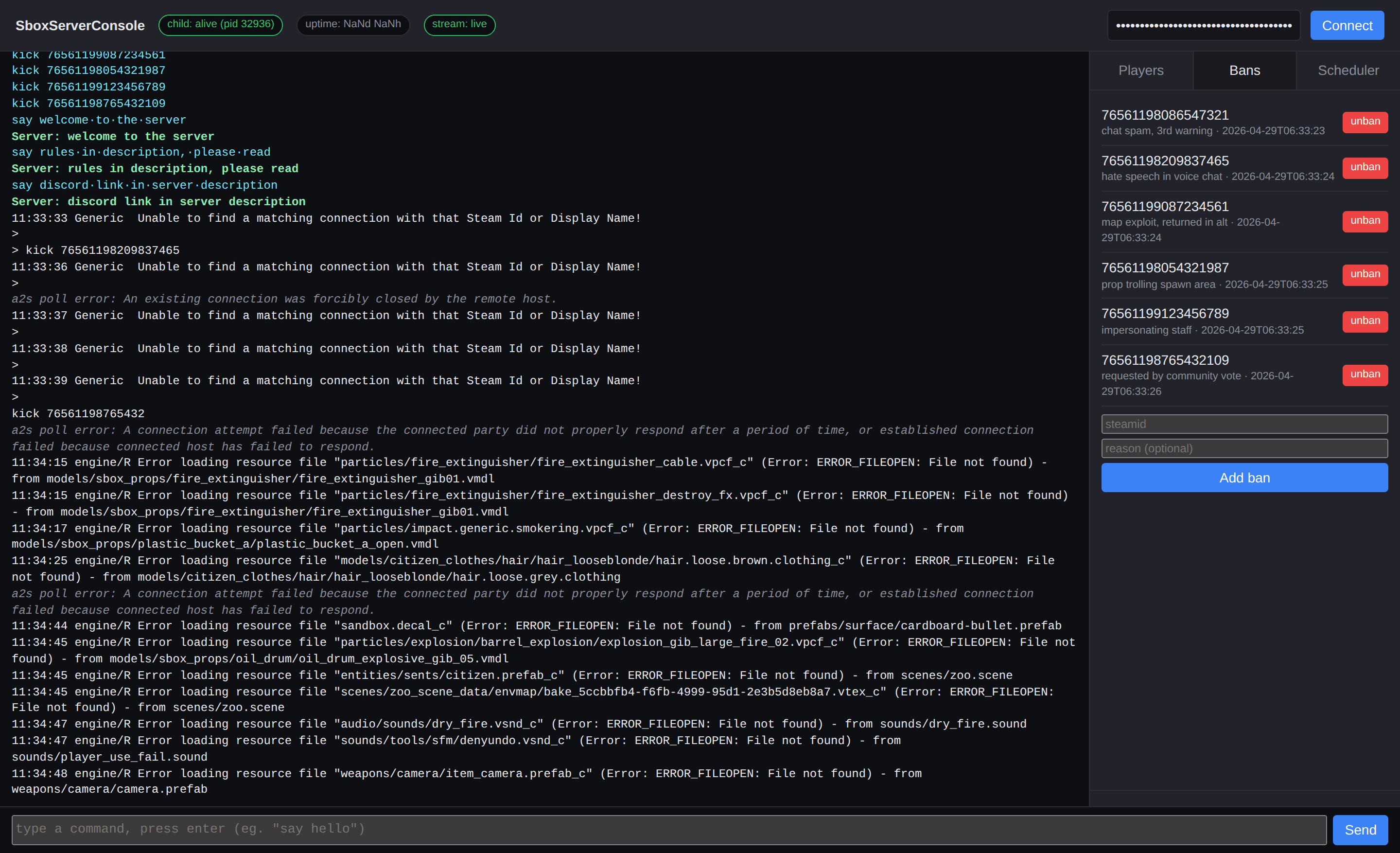 Live Web Console In-browser dashboard with a streaming console feed, RCON command input, and one-click banlist management. Every action is gated by your RCON password.
 -
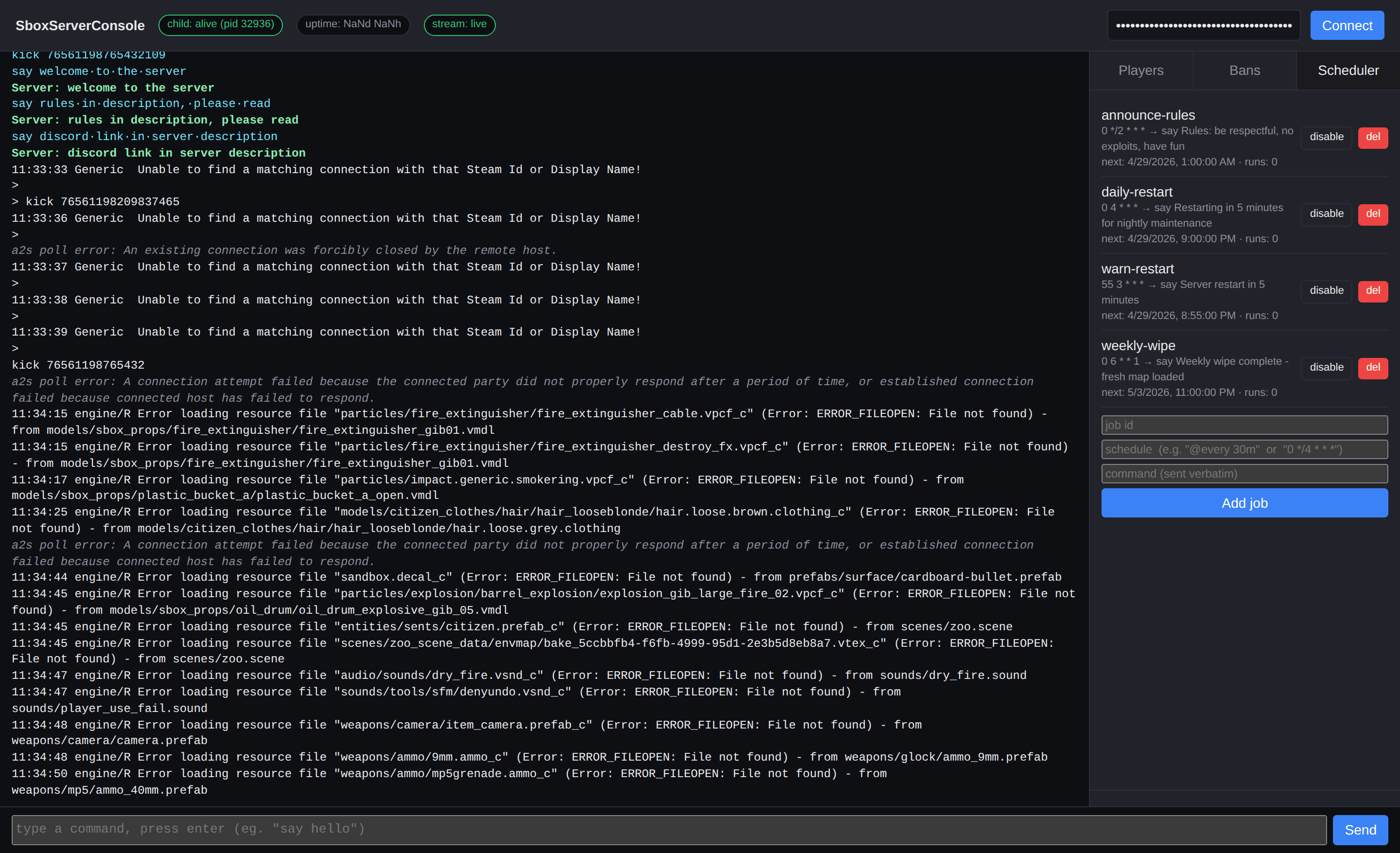 Scheduled Commands Run any console command on a cron schedule or @every interval — restart warnings, autosaves, daily cleanups. Persisted across restarts.
Source RCON
Standard Valve RCON protocol — works with mcrcon, BattleMetrics, and GameDig out of the box.
Live Web Console
Single-page dashboard with a streaming console, players list, and remote command input.
Bans + Allowlist
Persisted banlist with auto-kick on connect, plus an allowlist (whitelist) for private servers.
Scheduler + Auto-Restart
Cron-style scheduled commands and automatic respawn if the child server crashes.
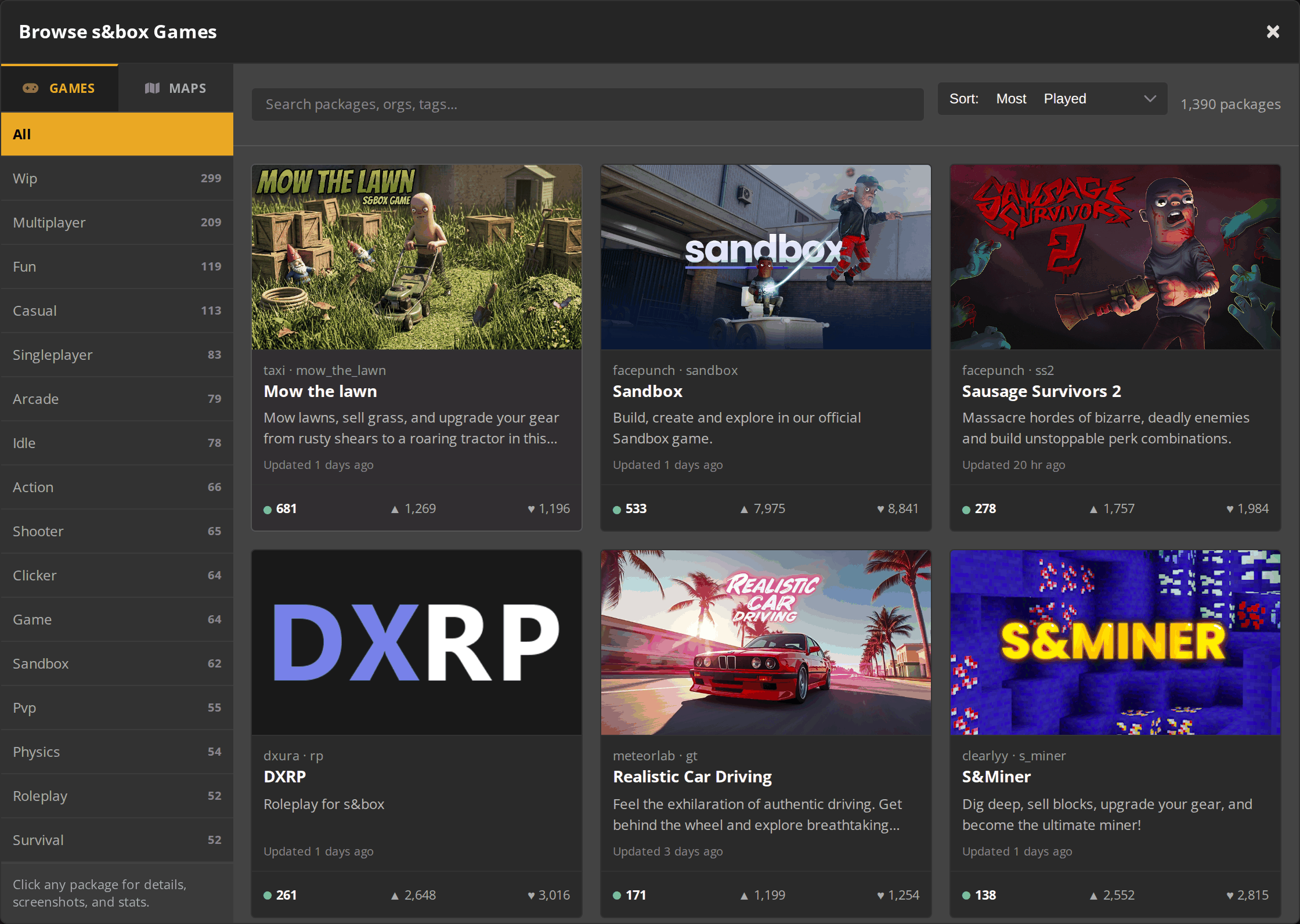
In-panel s&box.game catalog
Switch your gamemode without leaving the control panel. Browse the entire s&box.game catalog directly from your server settings, sort by popularity or recency, filter by category, and apply a new game package with one click.
- 1,300+ live game and map packages, refreshed from s&box.game
- Search by name, org, or tag — sort by Most Played, Newest, or Updated
- Per-package detail view with thumbnail, version, and direct “Use this package” action
- Same flow for game packages and map overrides
Global Network, Multiple Hosting Locations
Switch locations any time. DDoS protection available.
Play on All of the Popular Mods
Switch mods any time. Mods updates are released the same day - no waiting around!
How to Create a S&Box Server — Sandbox Server Setup Guide
This free S&box (Sandbox) server setup guide walks you through creating a dedicated Facepunch S&box server the fast way (with SurvivalServers) and the DIY way (self-hosted on your own hardware).
Hosting your Sandbox (S&box) server with us is effortless:
- Click Order Now above
- Enter a Username, Password and Email Address or sign up with Google/Twitch
- Select your slot amount, datacenter, and billing cycle
- Click "Order Now" and your Sandbox server is provisioned instantly with one-click control panel access
Without SurvivalServers
Running a S&box dedicated server yourself takes quite a bit more setup:
System Requirements
- Windows 10/11 or Windows Server with latest updates
- ~10GB+ of disk space for server files and game package content
- Stable internet connection with open UDP ports
- .NET runtime redistributables (installed automatically via SteamCMD)
- SteamCMD for headless installs
Installation
- Install the S&box Dedicated Server tool from Steam (Early Access: April 28, 2026) or install via SteamCMD
- Pick the game package you want to host from sbox.game (e.g.
facepunch.walker) - Configure your router to forward both UDP ports to the host PC (default
27015+ query port27016) - Add a Windows Firewall rule allowing the server executable through on those ports
- Launch with your chosen package, e.g.
sbox-server.exe +hostname "My Server" +port 27015 +net_query_port 27016 +game facepunch.walker - Monitor the console for errors and share your public IP:port with players
Picking a Game Package
- Browse published packages on sbox.game — shooters, platformers, sandbox maps, and more
- Host a private package by uploading it through your Facepunch developer account so it doesn't appear in the public list
- Build your own content in the S&box editor using the Source 2 tooling and C# scripting
Why Wait? Use SurvivalServers Instead
- Instant provisioning on enterprise NVMe SSD hardware with DDoS protection across 8 global datacenters
- One-click gamemode switching through our custom Survival Servers control panel
- Automated restarts, scheduled backups, and full FTP access on day one
- No port forwarding, no firewall wrangling, no Windows updates to babysit
What is S&box (Sandbox)?
S&box — also known as Sandbox or Facepunch's sandbox game — is the spiritual successor to Garry's Mod, built on Valve's Source 2 engine. It's a game creation platform where you can play, create, and share games with powerful modern tools using C# and .NET. Host your own dedicated Sandbox server and explore endless community-created gamemodes.
Frequently Asked Questions about Sandbox (S&Box) Server Hosting
Our Sandbox (S&box) server hosting starts at $3.60 on a 3-day plan, with monthly billing options for longer commitments. Pricing scales with slot count, so larger player counts and heavier custom gamemodes cost more. Every plan includes DDoS protection, NVMe SSD storage, and our one-click control panel at no extra charge.
S&box (Sandbox) launches into Steam Early Access on April 28, 2026 at $20 on Steam. We pre-configure servers ahead of launch so your S&box instance is running within minutes of release — just place your order and you are playing the moment the game goes live.
The fastest way is to rent a hosted Sandbox (S&box) server from SurvivalServers — click Order Now above, choose your slot count and datacenter, and we provision it instantly. The DIY path requires installing the S&box Dedicated Server tool via Steam or SteamCMD, picking a game package from sbox.game, forwarding UDP 27015 plus query port 27016 on your router, and launching with sbox-server.exe +hostname "My Server" +port 27015 +net_query_port 27016 +game facepunch.walker. Full walkthrough is in our Sandbox server setup guide above.
If you host with SurvivalServers, no — we handle all networking, DDoS protection, and firewall configuration for you. Self-hosting on your own hardware requires forwarding UDP port 27015 (the default) on your router and adding a Windows Firewall rule allowing the S&box server executable. Some setups also use TCP/UDP 27015–27030 for RCON and Steam authentication traffic.
Small communities under 12 players need a 64-bit OS (Windows Server 2019/2022 or Ubuntu 22.04 LTS), 4 GB RAM, a 2+ GHz CPU, and roughly 10 GB of free disk space. Larger lobbies or asset-heavy custom gamemodes benefit from 8 GB or more of RAM plus NVMe SSD storage for fast asset streaming. All SurvivalServers S&box plans run on enterprise NVMe hardware with high single-thread CPU performance so you never have to size up yourself.
Player limits depend entirely on the gamemode. Most community gamemodes support 4 to 64+ players, with some sandbox modes and shooters scaling even higher. Multiplayer is built directly into the Source 2 engine and players connect through your server's Steam ID, so there is no extra networking configuration required.
S&box (pronounced "Sandbox") is Facepunch Studios' spiritual successor to Garry's Mod, rebuilt on Valve's Source 2 engine with a modern C# scripting toolchain. It is a full game creation platform — you can build, publish, and play community-made games ranging from shooters to sandbox sims, and creators can export their projects as standalone Steam titles royalty-free.
Yes. S&box has extensive modding support built directly into the engine — you can install any public game package from sbox.game or upload your own custom content through your Facepunch developer account. Our control panel makes switching packages a one-click operation, and developers can build brand-new creations with the in-editor C# toolchain.
Yes, you can host dedicated servers for gamemodes that are not published on sbox.game. This keeps your gamemode private and prevents it from appearing in the public games list. Passwording plus Steam-based authentication gives you full control over exactly who can join your server.
S&box launches into Steam Early Access on April 28, 2026, with regular updates from Facepunch Studios as the platform evolves. Our hosting platform keeps your server files current with the latest version automatically. Just restart your server through our control panel to apply the newest update.